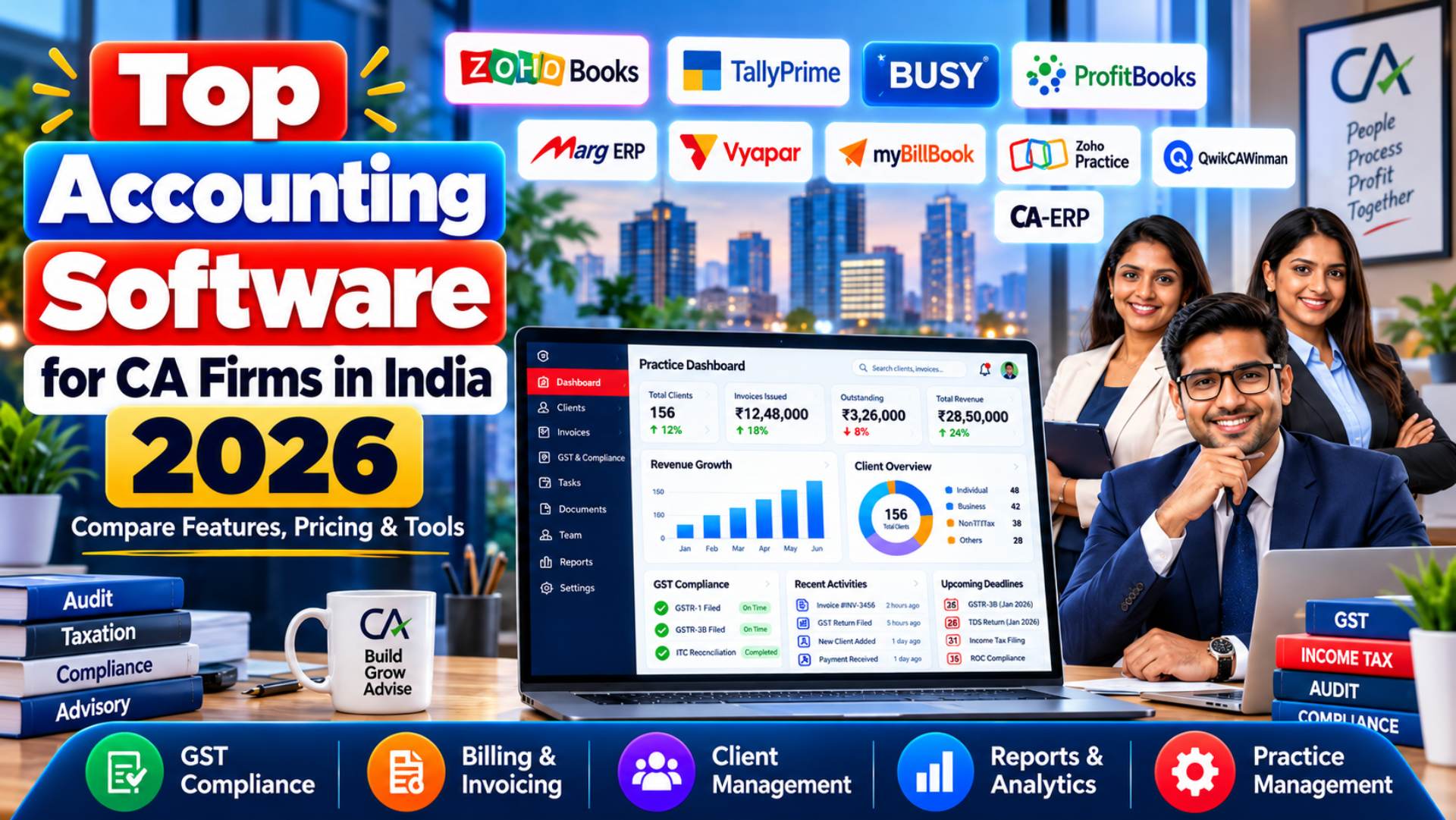
Managing accounts for multiple clients, reconciling GST transactions, preparing financial statements and meeting statutory deadlines can be challenging for Chartered Accountant (CA) firms. As client portfolios expand, traditional spreadsheets and disconnected accounting systems can create duplicated work, inconsistent records and unnecessary administrative delays.
Choosing the best accounting software for CA firms in India is therefore about more than recording transactions or generating invoices. A suitable platform should support accurate bookkeeping, GST-related workflows, financial reporting, client collaboration and efficient handling of repetitive tasks.
In 2026, Indian accounting practices can choose from established platforms such as TallyPrime, Zoho Books and BUSY, alongside affordable cloud solutions, practice-management applications and emerging automation tools. However, these products differ significantly in functionality, pricing, accessibility and suitability for professional accounting firms.
This guide compares 10 relevant software options, including specialist CA practice tools. It examines accounting features, GST support, multi-client management, automation, AI capabilities, pricing and practical limitations to help firms identify software that matches their requirements.
Updated: 23 October 2026
Quick Summary: The TL;DR Matrix
Not sure which accounting software is right for your CA firm? This quick comparison highlights the top picks based on firm size, accounting requirements, GST compliance, automation and budget.
| Category | Top Pick | One Reason Why |
|---|---|---|
| Small to Mid-Sized CA Firms | Zoho Books | Cloud accounting with GST support, automation and online collaboration |
| Traditional Accounting | TallyPrime | Comprehensive accounting with multi-company management |
| GST-Intensive Accounting | BUSY | GST reconciliation, reporting and inventory management |
| Budget-Friendly Cloud Accounting | ProfitBooks | Affordable plans with invoicing, bookkeeping and GST features |
| Inventory-Heavy Clients | Marg ERP | Detailed stock management and accounting for trading businesses |
| Small Business Accounting | Vyapar | Simple GST invoicing, expense tracking and billing |
| Mobile-First GST Billing | myBillBook | Easy invoicing and business management with mobile access |
| CA Practice Management | Zoho Practice | Centralised client, task, document and workflow management |
| Budget CA Office Management | QwikCA | Affordable client management, task assignment and deadline tracking |
| Tax Filing & Returns | Winman CA-ERP | Specialised income-tax preparation and tax audit reporting |
Top Accounting Software for CA Firms in India
| Software | Deployment | Core Accounting | GST Functionality | Multi-Client Suitability |
|---|---|---|---|---|
| Zoho BooksCloud Accounting | Cloud | Full | GST reports, filing workflows, e-invoicing | Multiple organisations; costs apply |
| TallyPrime
Traditional Accounting |
Desktop with connected services | Full | GST, e-invoices, e-way bills | Multiple companies |
| BUSY
GST Accounting |
Desktop, optional online access | Full | GST reporting, reconciliation, direct upload features | Multiple companies |
| ProfitBooksSME Accounting | Cloud | Full SME accounting | GSTR-1 and GSTR-3B functionality | Organisation setup must be checked |
| Marg ERP Accounting | Desktop and cloud options | Full | GST billing and reporting | Edition-dependent |
| Vyapar
Small Business Accounting |
Desktop/mobile | SME accounting | GST invoices and reports | Plan-dependent company limits |
| myBillBook
GST Billing |
Mobile, web and desktop options | Small-business accounting | GST billing; advanced features by plan | Limited businesses per plan |
| Zoho Practice
Practice Management |
Cloud | Complementary | Workflow coordination | Dedicated practice management |
| QwikCA
Office Management |
Cloud | No full general ledger | Deadline and status tracking | Unlimited clients advertised |
| Winman CA-ERP
Tax & Compliance |
Desktop-oriented specialist software | Not full bookkeeping replacement | Compliance-office workflows | CA practice-focused |
Zoho Books, TallyPrime and BUSY address a broader range of core accounting requirements than simple billing tools. However, applications such as myBillBook or Vyapar may be appropriate where a firm’s clients primarily need straightforward invoicing and bookkeeping.
Equally, a practice-management application may improve staff coordination without replacing the accounting system used to maintain client ledgers.
Why CA Firms Need Specialised Accounting Software
Accounting practices typically manage different responsibilities from those of an individual business. A CA firm may maintain separate books for several companies while simultaneously handling GST reconciliation, tax compliance, audit preparation and client communication.
Specialised software can help coordinate these activities while reducing dependence on manual tracking.
Managing Multiple Client Accounts
A CA firm handling 30 clients requires a different software setup from a business maintaining a single set of books.
Each client may have different financial years, transaction volumes, reporting obligations, employees and GST registrations.
Suitable multi-client accounting software should allow professionals to maintain separate records, control access permissions, generate individual financial reports and retrieve historical transactions efficiently.
However, supporting multiple companies is not the same as offering a centralised CA practice dashboard. Firms should confirm whether client data can be accessed under one login, whether each organisation requires a separate subscription and how staff permissions are configured.
GST and Tax Compliance Workflows
GST compliance is a major consideration when choosing accounting software for chartered accountants in India.
Depending on the client, a firm may need software that supports GSTR-1 preparation, GSTR-3B calculations, purchase matching, e-invoicing, e-way bills and Input Tax Credit reconciliation.
GSTR-2B is an auto-drafted ITC statement based on supplier-reported information. It helps taxpayers assess eligible input tax credit, but it is not itself a return that taxpayers file. The official GST Portal guidance explains its purpose and limitations.
GST Note:
Accounting software may generate GST-ready reports, export return data, reconcile transactions or support filing through connected services. These are different capabilities. Firms should verify which functions are actually included before purchasing.
Reducing Manual Accounting Work
Manual transaction entry, bank statement matching, invoice recording and repeated report generation can consume substantial staff time.
Software may reduce this work through recurring transactions, bank reconciliation, document imports and automated reminders.
Some platforms also provide document scanning or AI-assisted data extraction. However, automation does not eliminate the need for professional review, particularly where GST treatment, accounting classification or reconciliation exceptions require judgement.
Improving Team Productivity
As accounting practices grow, assigning work and tracking deadlines becomes increasingly important.
A shared workflow system can help managers identify pending assignments, allocate tasks and coordinate document requests.
However, most general accounting applications do not provide every feature required for practice operations. A firm may need to combine core accounting software with a dedicated practice-management platform.
Preparing for Business Growth
A software package that is affordable for five clients may become expensive when a firm manages 50 or 100 clients.
Before choosing a system, evaluate additional organisation charges, user licences, storage limits, transaction allowances, integrations and data migration requirements.
A scalable solution should support growth without making routine accounting work unnecessarily complicated.
How We Selected and Ranked the Best CA Accounting Software
Selection Criteria
The shortlist was developed around the practical needs of Indian CA practices rather than software popularity alone.
Seven products are evaluated as accounting or bookkeeping systems. Three additional applications are reviewed as specialist products for practice administration or compliance work.
The specialist products appear in the same guide to help buyers compare their potential software stack, but they are not claimed to offer equivalent accounting functionality.
Evaluation Factors and Weightings
| Evaluation factor | Weight |
|---|---|
| Core accounting functionality | 20% |
| GST and Indian compliance features | 20% |
| Multi-client management and collaboration | 15% |
| Automation and AI capabilities | 15% |
| Pricing and overall value | 10% |
| Ease of use and implementation | 10% |
| Integrations, security and support | 10% |
| Total | 100% |
The criteria prioritise accounting accuracy, relevant statutory workflows and the ability to manage separate clients.
No numerical product scores are assigned because comparable hands-on evidence for all ten products is unavailable. The ordering reflects documented features and editorial suitability for common CA firm use cases.
Specialist applications are assessed primarily on their stated purpose rather than being unfairly marked down for not functioning as general accounting systems.
Research Sources and Testing Limitations
Research for this article draws on publicly available product descriptions, Indian pricing pages, vendor documentation and relevant GST Portal guidance.
No independent hands-on testing, controlled performance benchmarking or customer interviews were conducted for this review. Vendor-described capabilities are therefore treated as documented features rather than proof of performance in a particular CA practice.
Pricing and Feature Verification
Public information was reviewed on 23 October 2026. Prices represent the figures available from the referenced pages at the time of research.
Some providers change promotional prices, product editions or subscription terms. Features may also depend on the licence, connected services, user limits or optional add-ons.
Where current pricing or the scope of a particular capability could not be established confidently, it is explicitly identified rather than estimated.
Editorial Independence and Disclosure
This comparison uses a consistent research framework and does not assign favourable rankings solely because a product appears in the benchmark article.
No sponsorship or commercial relationship has been established in the research supplied for this draft. Before publication, the publisher must disclose any actual affiliate relationship, sponsorship, ownership interest or paid placement involving a reviewed company.
GST, Automation, Multi-Client and AI Feature Comparison
The following matrix summarises major differences between the products. An automation feature should not automatically be interpreted as artificial intelligence.
| Software | GST Workflow | Multi-Client/Company | Reconciliation | Automation and AI |
|---|---|---|---|---|
| Zoho Books | Extensive, plan-dependent | Separate organisations | Bank reconciliation | Reminders, autoscans, configurable workflows |
| TallyPrime | Extensive | Multiple companies | Banking and reconciliation | Connected and rule-driven processes |
| BUSY | Extensive on suitable plans | Multiple companies | GST and ledger reconciliation | Includes AI Voucher Scan in BUSY Magic Smart |
| ProfitBooks | GSTR-1/3B on paid plans | Organisation setup to verify | Accounting workflows | Reminders and recurring workflows |
| Marg ERP | GST billing/reporting | Edition-dependent | Accounting reconciliation | Operational automation; AI scope unverified |
| Vyapar | GST invoicing/reports | Plan-dependent | Accounting tools | Billing and inventory automation |
| myBillBook | GST billing; advanced by plan | Restricted by tier | Scope to verify | Recurring billing on Pro Max |
| Zoho Practice | Practice workflows | Client-management tools | Not a core bank ledger system | Recurring tasks and workflow automation |
| QwikCA | Deadline/status tracking | Unlimited clients advertised | No GST reconciliation | Task and reminder automation |
| Winman CA-ERP | Specialist compliance workflows | Practice-oriented | Module-dependent | Workflow capabilities need demonstration |
10 Best Accounting Software Options for CA Firms in India
The following reviews examine each product’s purpose, features, advantages, limitations, pricing and suitability. The first seven are accounting products; the final three are complementary tools for CA firm operations.
1. Zoho Books — Best Overall for Cloud Accounting and Collaboration
Cloud accounting | GST workflows | Accounting automation
Overview
Zoho Books is a cloud-based accounting platform designed to manage invoices, expenses, banking transactions, financial statements and tax-related workflows.
For Indian CA firms, its main attraction is the combination of accounting functionality, online access and collaboration features. Accountants can work with client organisations without relying entirely on locally installed desktop software.
The platform also supports integrations within the wider Zoho ecosystem, making it worth considering for firms seeking connected finance and practice-management applications.
Key Features
- GST accounting: Supports GST reports and filing workflows, subject to the functionality available in the selected plan.
- Bank reconciliation: Helps users match and review recorded financial transactions.
- Client collaboration: Provides accountant access and user permissions, with additional collaboration functions available on higher plans.
- Automated workflows: Includes payment reminders, receipt autoscans and configurable workflows in eligible editions.
- Financial reporting: Generates profit and loss statements, balance sheets and other financial reports.
- Multi-organisation support: Separate business organisations can be maintained, although pricing and organisation limits require careful examination.
Pros and Cons
Advantages
Cloud accessibility and online collaboration.
Broad accounting and GST functionality.
Automation and integration options.
Free entry-level plan for eligible businesses.
Limitations
Subscriptions are priced per organisation.
Advanced capabilities require higher plans.
Internet access is important for normal operation.
A separate practice-management product may be needed.
Pricing
STARTING PAID PLAN
₹749 /organisation/month, billed annually
Standard plan; ₹899 with monthly billing. Free plan available under eligibility and usage limits. Prices exclude applicable taxes.
Zoho Books also lists Professional at ₹1,499, Premium at ₹2,999, Elite at ₹4,999 and Ultimate at ₹7,999 per organisation per month with annual billing. Its free plan is subject to revenue and transaction restrictions. A 14-day free trial is advertised.
Best For
Small and medium-sized CA firms prioritising online bookkeeping, remote collaboration, financial reporting and automation.
Not Ideal For
Firms that must work predominantly offline or require inexpensive access to many separate client organisations without individual organisation-related costs.
Editor’s Verdict
Zoho Books earns the leading position for cloud-oriented CA practices because it combines core accounting, GST functionality and practical collaboration tools. Its strongest appeal is the ability to connect routine accounting work with online workflows.
However, firms handling numerous separate organisations must calculate the full subscription cost. Zoho Books should also be evaluated alongside Zoho Practice where centralised staff and client-work management is necessary.
2. TallyPrime — Best for Traditional Desktop Accounting
Desktop accounting | Multi-company records | GST compliance
Overview
TallyPrime is an established accounting and business-management platform commonly considered by Indian businesses and accounting professionals.
It covers financial accounting, inventory, GST, banking and business reporting. The software uses a desktop-oriented workflow while offering connected services and optional cloud-access arrangements.
For CA firms accustomed to maintaining company-wise books and detailed accounting records, TallyPrime provides an alternative to subscription-based cloud accounting platforms.
Key Features
- Full accounting: General ledger, vouchers, journals, receivables, payables and financial statements.
- GST functionality: GST accounting, e-invoicing and e-way bill capabilities.
- Multiple companies: Separate accounting records for different business entities.
- Inventory and payroll: Additional business-management functions beyond bookkeeping.
- Financial reporting: Detailed reports for review and business analysis.
- Licensing flexibility: Single-user and multi-user options with rental or lifetime licences.
Tally’s published pricing guide states that Silver and Gold provide the same core feature set, with the main distinction relating to how the software is accessed by users.
Pros and Cons
Advantages
- Broad accounting and statutory workflow coverage.
- Supports multiple companies.
- Offers lifetime licences as well as rental arrangements.
- Suitable for established desktop-accounting processes.
Limitations
- Remote collaboration requires additional planning or services.
- New users may need structured training.
- Support, updates and cloud access can add ongoing costs.
Pricing
SILVER RENTAL STARTS AT ₹750 /month + GST
Silver lifetime licence: ₹22,500 + GST. Gold lifetime licence: ₹67,500 + GST. Rental and annual offers are also available.
At the time of review, the official website listed a seven-day trial and annual Silver rental of ₹8,100. Firms should separately check Tally Software Services, cloud-access charges and multi-user requirements.
Best For
Established accounting practices managing multiple companies, particularly where staff are comfortable with desktop-based accounting.
Not Ideal For
Teams seeking browser-based collaboration and integrated client communication without additional infrastructure.
3. BUSY Accounting Software — Best for GST-Intensive Accounting
GST reconciliation | Inventory | Multiple companies
Overview
BUSY is accounting and business-management software aimed at businesses with invoicing, accounting, inventory and statutory reporting needs.
It is particularly relevant to CA firms serving traders, wholesalers, distributors and other businesses with substantial GST transactions.
The software offers desktop-oriented editions and subscription options, with different capabilities depending on the product family and plan.
Key Features
- GST reconciliation: BUSY Standard documents downloading and reconciliation of GSTR-1, GSTR-3B, GSTR-2A and GSTR-2B data, subject to connected-service requirements.
- GST reporting: Supports return-related reports and relevant upload workflows.
- Inventory management: Includes stock, warehouses, units and inventory-oriented reporting.
- Multiple companies: Helps maintain separate accounting records.
- User controls: Includes user permissions and activity-related controls in suitable editions.
- Automation: BUSY Magic Smart advertises AI Voucher Scan and GST-related automation.
The official website distinguishes features available today from announced upcoming functions.
Pros and Cons
Advantages
- Detailed GST-oriented workflows.
- Accounting and inventory functionality.
- Multiple-company support.
- Choice of subscription and perpetual product models.
Limitations
- Plan differences can be complicated.
- Cloud access and connected services may involve additional charges.
- Some newer automation features are edition-specific.
- A dedicated CA practice dashboard is not its primary purpose.
Pricing
GST-CAPABLE SUBSCRIPTION FROM ₹8,000 /360 days + GST
BUSY Magic Smart. BUSY 21 Standard is listed at ₹16,500 for a single-user perpetual licence, with ongoing connected-service and renewal considerations.
BUSY also advertises a free Express edition and a 15-day trial. Its GST-capable Standard plan and Magic Smart subscription should be compared according to the firm’s actual requirements rather than simply their starting prices.
Best For
CA firms serving GST-registered trading, wholesale, distribution and inventory-intensive businesses.
Not Ideal For
Practices looking primarily for a lightweight online client portal and minimal desktop administration.
4. ProfitBooks — Best Affordable Cloud Accounting Option
Small-business accounting | GST reporting | Budget-friendly plans
Overview
ProfitBooks is cloud accounting software focused on the financial-management needs of small and medium-sized businesses.
Its capabilities include invoicing, expense tracking, accounting reports, customer management and GST-related functionality in eligible plans.
For smaller CA firms and bookkeeping practices, ProfitBooks is worth evaluating where affordability and accessible online accounting are more important than advanced enterprise-level features.
Key Features
- Financial accounting: Records journals, receipts, expenses and related transactions.
- GST reporting: Paid plans document GSTR-1 and GSTR-3B functionality.
- Invoicing: Creates and manages customer invoices.
- User access: Higher plans provide additional users and roles.
- Reports: Supports financial statements and business reports.
- Business workflows: Paid editions provide additional reminders and operational features.
The vendor’s current plan comparison lists specific invoice allowances, users and GST features by tier.
Pros and Cons
Advantages
- Low published annual entry price.
- Free plan for basic usage.
- Cloud-based accessibility.
- Paid plans offer different user capacities.
Limitations
- Entry-level plans have transaction and user restrictions.
- Some GST and e-invoicing features are plan-dependent or paid add-ons.
- It is not a complete practice-management solution.
- Firms must verify the cost of handling multiple independent client organisations.
Pricing
ESSENTIAL PLAN₹2,499 /year + GST
Free Startup plan; Growth ₹4,999/year; SMB Pro ₹7,500/year or ₹750/month, according to current published pricing.
Its free Startup edition has limited invoicing and journal capacity. CA firms should evaluate the Growth and SMB Pro editions when multiple employees require access.
Best For
Solo accountants, smaller CA practices and budget-conscious bookkeeping operations supporting relatively straightforward business clients.
Not Ideal For
Large practices requiring comprehensive centralised client management, complex audit workflows or advanced verified AI tools.
5. Marg ERP — Best for Inventory-Heavy Business Clients
Trading businesses | Distribution | Inventory accounting
Overview
Marg ERP is an accounting, billing and business-management platform serving businesses that require operational and financial records in one system.
Its focus on billing, inventory and enterprise operations makes it relevant to CA firms supporting retail, wholesale and distribution clients.
It is less directly focused on managing the internal operations of a CA practice, but it can be valuable when a firm’s client base requires detailed stock-related accounting.
Key Features
- Accounting and business financial reporting.
- GST billing and tax-related business records.
- Inventory and stock-management functions.
- Multi-user licensing options.
- Multiple-company capabilities in suitable editions.
- Cloud deployment options and additional business integrations.
Pros and Cons
Advantages
- Particularly relevant to inventory-intensive businesses.
- Multiple editions for different organisational sizes.
- Multi-user and multi-company options.
- Desktop and cloud deployment alternatives.
Limitations
- Product selection and implementation can require specialist assistance.
- Edition and company restrictions differ.
- Customisation may incur additional costs.
- It is not primarily designed around CA firm task management.
Pricing
The official published price list includes Marg ERP Nano at ₹5,550, Basic at ₹10,300, Silver at ₹13,900 and Gold at ₹26,000, excluding GST.
The company notes that final prices may vary with customer requirements and implementation, and extra user or company charges can apply on lower editions.
GST Billing Software Plans
Best For
CA firms serving distributors, retailers, wholesalers and businesses with detailed inventory-accounting requirements.
Not Ideal For
Firms seeking a simple, cloud-first application used mainly for professional services bookkeeping.
6. Vyapar — Best for Small-Business Billing and Bookkeeping
GST invoices | Mobile bookkeeping | Small-business operations
Overview
Vyapar focuses on simplifying invoicing, bookkeeping and everyday financial administration for small businesses.
The platform combines GST billing, transaction recording, inventory-related functions and reporting in a business-oriented interface.
For CA firms, Vyapar may be useful when clients need accessible accounting tools rather than advanced professional accounting or audit management.
Key Features
- GST invoice creation and billing.
- Expense and payment tracking.
- Basic financial and business reports.
- Inventory and stock-related tools.
- Multiple-company support according to plan.
- Mobile and desktop access options.
Pros and Cons
Advantages
- Designed around small-business requirements.
- Provides accessible billing features.
- Useful for owner-managed businesses.
- Some editions support multiple companies.
Limitations
- Not a dedicated CA practice-management platform.
- Company and advanced feature access vary by plan.
- Broader reconciliation and statutory workflows require verification.
- AI accounting capabilities are not sufficiently documented for a firm-wide recommendation.
Pricing
Vyapar publishes product-plan information, but the pricing pages retrieved during research displayed US-dollar figures rather than a consistently verifiable Indian-rupee checkout price.
Consequently, a reliable current INR starting price is not stated here. Buyers should request or verify the Indian checkout amount, taxation and applicable promotional terms before purchasing.
Best For
Solo CAs and small accounting practices serving microbusinesses, retailers and business owners who prioritise billing simplicity.
Not Ideal For
Larger accounting practices requiring detailed audit workflows, advanced reconciliation or centralised staff task management.
7. myBillBook — Best for Mobile-First Small Business Clients
Invoicing | GST billing | Business-owner collaboration
Overview
myBillBook is a billing and small-business management platform with mobile, web and selected desktop access.
It focuses on creating invoices, organising business transactions and managing practical billing needs.
For a CA firm, its value lies primarily in supporting smaller business clients that prefer an accessible invoicing interface and want their accountant to review relevant records.
Key Features
- GST-related billing and invoice preparation.
- Mobile and web access.
- Business and user management according to plan.
- Barcode and inventory functions.
- E-way bill and e-invoice functionality in eligible higher plans.
- Recurring billing and additional business controls on Pro Max.
Pros and Cons
Advantages
- Mobile-friendly business workflow.
- Accessible billing tools.
- Accountant access advertised in selected plans.
- Paid tiers cater to increasing business requirements.
Limitations
- Lower plans restrict the number of businesses.
- Advanced statutory and billing tools are tier-dependent.
- Not a complete CA office-management solution.
- Dedicated audit and complex accounting capabilities should be tested separately.
PricingPLUS PLAN, ANNUAL BILLING RATE ₹291 /month
Published annual-billing equivalent; Pro from ₹333/month and Pro Max from ₹570/month at the displayed annual rates.
The published pricing page identifies one business and one user plus one CA on Plus and Pro, while Pro Max includes two businesses with an upgrade path for additional access.
Best For
Small-business clients who prioritise accessible GST invoicing and mobile-oriented business management.
Not Ideal For
CA firms that need one comprehensive system for complex accounting, audit work and numerous client organisations.
8. Zoho Practice — Best for Integrated Practice Management
Client coordination | Task workflows | Workpapers
Overview
Zoho Practice is designed to help accounting firms manage client relationships, team workflows, workpapers, documents and internal operations.
Unlike Zoho Books, which focuses on business accounting, Zoho Practice supports the administrative and collaborative activities involved in running an accounting firm.
It is relevant where staff must coordinate recurring assignments, exchange client documents and monitor work across multiple engagements.
Key Features
- Client management and collaboration.
- Task allocation and recurring workflows.
- Timesheets and professional billing.
- Document management and workpapers.
- Activity logs and custom reporting.
- Integrations with Zoho’s financial software ecosystem.
Its Standard plan lists client management for Zoho clients, while Premium offers broader client-management and portal functions.
Pros and Cons
Advantages
- Designed specifically for accounting-firm operations.
- Supports staff coordination and client collaboration.
- Provides task and document workflows.
- Fits naturally alongside Zoho Books.
Limitations
- Does not replace complete financial accounting.
- User and ledger add-ons can increase costs.
- Advanced portal features require a higher plan.
- Some capabilities depend on integrations.
Pricing
Zoho Practice lists Standard at ₹2,950 per organisation per month and Premium at ₹8,950 per organisation per month, both billed annually and excluding applicable taxes. A 14-day free trial is available. Its partner programme may provide eligible firms with free access to specified features.
Best For
Growing accounting practices already using Zoho financial applications or seeking structured client and employee coordination.
Not Ideal For
Firms seeking only an inexpensive bookkeeping platform with no need for dedicated practice-management functionality.
9. QwikCA — Best for Affordable CA Practice Coordination
Client management | Deadlines | Staff tasks
Overview
QwikCA is a cloud-based CA practice-management application aimed at organising clients, employees, compliance deadlines and routine office activities.
It provides tools for tracking assignments, coordinating team members and communicating with clients.
QwikCA is not designed to replace complete financial accounting software or perform the full process of preparing and filing statutory returns.
Key Features
- Client portfolio management.
- Compliance deadlines and task tracking.
- Staff coordination.
- Document collection and client access.
- Reminders and communication workflows.
- GST status-related information, with limitations.
The vendor explicitly states that QwikCA does not prepare GSTR-1 or GSTR-3B, perform GST reconciliation or replace Tally.
Pros and Cons
Advantages
- Designed around CA office administration.
- Unlimited clients advertised across plans.
- Relatively low starting price.
- Supports task and compliance-deadline coordination.
Limitations
- Not complete accounting software.
- Does not independently prepare or file GST and TDS returns.
- Certain capabilities are identified as beta.
- Storage and user allowances vary by tier.
Pricing SOLO PLAN ₹1,000 /year + GST
One user. Starter ₹7,500/year for 10 users, Growth ₹12,500/year for 20 users. One-month trial advertised.
QwikCA’s pricing page also identifies larger plans and custom per-user pricing. Some GST-fetch benefits are explicitly described as available during beta, so firms should confirm long-term availability and limits.
Best For
Solo CAs and small firms seeking a dedicated system to manage clients, tasks, documents and deadlines.
Not Ideal For
Buyers needing financial ledgers, GST return preparation, accounting reconciliation or comprehensive financial reporting in the same product.
10. Winman CA-ERP — Best for Income Tax and Audit Preparation Workflows
Income tax software | ITR preparation | Tax audit workflows
Overview
Winman CA-ERP is a specialised income-tax and compliance software product aimed at Chartered Accountants and tax professionals.
Despite its ERP name, its main emphasis is on tax computations, income-tax return preparation, audit reporting and related workflows rather than maintaining a full commercial accounting ledger.
It can complement systems such as TallyPrime when a practice requires dedicated tax and audit-preparation functionality.
Key Features
- Income-tax computation and ITR preparation.
- Tax audit reporting functionality.
- Importing Form 26AS, AIS and TIS information.
- Trial balance and financial statement preparation tools.
- Tally-related financial data import.
- Error checking and filing-related reporting.
The official product documentation also describes multiple deployment arrangements and data-management functions.
Pros and Cons
Advantages
- Specifically focused on CA and tax-related workflows.
- Offers tax computation and return-preparation features.
- Supports data import from external financial records.
- Provides reporting and checking utilities.
Limitations
- Does not replace primary bookkeeping software.
- Distinct Winman products may be needed for other compliance functions.
- Deployment and licence arrangements require review.
- AI functionality should not be presumed from conventional automation features.
Pricing
Winman has published a price-list document for CA-ERP and related products. However, the current licence price, discount applicability, taxation and renewal basis could not be confirmed sufficiently from the available pricing material.
Contact the provider for a current quotation covering the required edition, users, related modules and ongoing charges.
Best For
CA firms with substantial income-tax preparation, tax audit and related professional compliance work.
Not Ideal For
Businesses or accountants seeking a standalone general ledger, invoicing and inventory accounting package.
Accounting Software vs CA Practice Management Software
Although accounting software and CA practice-management software are often marketed to similar audiences, they serve different purposes.
Accounting software maintains financial records. It handles journals, ledgers, bank transactions, sales, purchases, expenses and financial statements.
Practice-management software helps an accounting firm organise its own operations, including client records, task assignments, filing deadlines, staff responsibilities, document requests and communication.
Other categories include tax compliance software, audit automation platforms and AI-assisted data processing tools.
| Software Category | Main Purpose | Examples |
|---|---|---|
| Core accounting | Maintain business financial records | Zoho Books, TallyPrime, BUSY |
| CA practice management | Organise clients, employees and assignments | Zoho Practice, QwikCA |
| Tax compliance | Prepare tax computations and returns | Winman CA-ERP |
| Audit and reconciliation tools | Review transactions, detect exceptions and manage supporting evidence | Specialist applications or modules |
| AI accounting assistants | Support extraction, classification and financial analysis | AI functionality within eligible applications |
A growing CA firm may therefore need more than one system.
For example, a firm could use TallyPrime for maintaining client accounts, Winman for specific income-tax-related work and a practice-management platform for monitoring deadlines.
However, each additional tool introduces integration, training, security and subscription considerations. Software should be added only when the operational benefit justifies the complexity.
When Desktop Accounting Makes Sense
Traditional accounting software may suit practices with established office networks, predictable bookkeeping procedures and employees who primarily work from one location.
A perpetual licence can also be attractive when the software remains appropriate over several years.
However, firms must account for backups, security, remote access, updates and support.
When Cloud Accounting Makes Sense
Cloud accounting can be useful for firms with remote employees, geographically dispersed clients or a requirement for frequent online collaboration.
It may simplify software deployment and access to current records.
However, cloud subscriptions can become expensive across many organisations, while internet dependence, provider continuity, access controls and data-export capabilities also require attention.
Editor’s Tip: Rather than making a deployment decision based on convenience alone, test the actual accounting workflow from transaction entry through reconciliation, report preparation and final client review.
AI-Powered Accounting Software: Is It Worth It for CA Firms?
Artificial intelligence is increasingly discussed in accounting software, but buyers should distinguish genuine AI capabilities from conventional automation.
A platform that automatically sends invoice reminders is not necessarily using AI. Similarly, importing a spreadsheet or generating a recurring journal entry does not prove the presence of machine learning.
For Indian CA firms, the value of AI depends on whether it can solve specific accounting or administrative problems reliably.
Key AI Applications in Accounting
Invoice and Document Extraction
OCR and document-understanding systems can extract information from invoices, receipts and other records. AI-based systems may additionally help interpret inconsistent layouts, although all extracted details require validation.
Transaction Categorisation
Assisted categorisation can suggest account codes based on descriptions and previous patterns. Incorrect classifications remain possible, particularly for unusual expenses or complex tax treatment.
Reconciliation Assistance
Matching systems can identify likely matches between bank entries, purchase records and accounting transactions. Exceptions should still be reviewed before being accepted.
Anomaly Detection and Financial Insights
More advanced systems may identify unusual values, transaction patterns or reporting movements. Their usefulness depends on data quality, implementation and documented availability.
Natural-Language Reporting
AI assistants may help users ask financial questions in plain language. Responses should be checked against underlying accounting records before being shared with clients.
Which Reviewed Products Offer AI Features?
Among the reviewed products, BUSY Magic Smart expressly advertises an AI Voucher Scan feature. Zoho Books also documents receipt autoscans and various accounting automation capabilities, although document scanning alone should not be equated with a comprehensive AI accounting assistant.
The remaining applications should not be classified as fully AI-powered accounting platforms solely on the basis of their billing, reporting, import or workflow automation features.
Firms evaluating specialised AI products should request demonstrations using representative client data and examine the results rather than relying on marketing terminology.
Risks of AI in Professional Accounting
The potential benefits of AI do not remove professional responsibility.
Important concerns include incorrect transaction classifications, invented explanations in AI-generated reports, incomplete document extraction, exposure of confidential client information and errors in tax-related suggestions.
Before deploying AI in a CA practice, management should establish review and approval procedures, access restrictions, data-handling requirements and clear accountability.
Quick Verdict: AI-assisted accounting is worth investigating when a firm handles large volumes of repetitive work. However, reliable bookkeeping, statutory functionality and effective review controls remain more important than AI branding.
Accounting Software Pricing Comparison in India (2026)
Pricing structures vary substantially. Some providers charge per organisation per month, others offer annual subscriptions, and several sell perpetual licences with optional service renewals.
The following amounts are published starting prices or identifiable plans, not fully configured costs for a CA firm with multiple clients.
| Software | Published Price | Billing Basis | Trial/Free Option |
|---|---|---|---|
| Zoho Books | ₹749 | Per organisation/month, billed annually | Free plan; 14-day trial |
| TallyPrime | ₹750 | Silver rental/month | 7-day trial |
| BUSY | ₹8,000 | Magic Smart/360 days | Express free; 15-day trial |
| ProfitBooks | ₹2,499 | Essential/year | Free Startup plan |
| Marg ERP | ₹5,550 | Nano edition licence price | Demo available |
| Vyapar | Confirm INR checkout | Plan-dependent | Check selected edition |
| myBillBook | ₹291 | Plus/month, annual rate | Promotional/refund terms apply |
| Zoho Practice | ₹2,950 | Standard/organisation/month, annually | 14-day trial |
| QwikCA | ₹1,000 | Solo/year | One-month trial |
| Winman CA-ERP | Quotation required | Licence and edition-dependent | Confirm with provider |
Prices checked against provider information on 23 October 2026. Applicable GST, promotional discounts, installation, renewals and add-ons may change payable amounts.
Which Accounting Software Should Your CA Firm Choose?
The most suitable product depends on the practice’s size, service mix, client profile and internal operating model.
| Type of CA Firm | Recommended Starting Point | Reason |
|---|---|---|
| Solo CA | ProfitBooks or TallyPrime | Small-practice accounting options |
| Small cloud-focused firm | Zoho Books | Online access and collaboration |
| Traditional accounting firm | TallyPrime | Established multi-company accounting |
| GST-intensive practice | BUSY | Detailed GST-related workflows |
| Inventory-oriented clients | Marg ERP or BUSY | Stock and operational accounting |
| Small-business advisory clients | Vyapar or myBillBook | Accessible invoicing |
| Growing multi-staff CA practice | Zoho Practice plus accounting software | Organised client and task workflows |
| Budget-conscious practice management | QwikCA | Client and deadline tracking |
| Tax return and audit-focused firm | Winman CA-ERP plus accounting software | Specialist tax functions |
| Firm exploring document automation | Eligible Zoho Books or BUSY plans | Document-processing features to test |
For Solo Chartered Accountants
Solo practitioners should prioritise straightforward bookkeeping, financial reporting, data export and the ability to serve existing clients without excessive subscriptions.
ProfitBooks may suit budget-sensitive cloud accounting requirements, while TallyPrime deserves consideration where the practitioner prefers desktop accounting and handles several company books.
For Small and Medium-Sized CA Firms
Firms with several accountants need controlled user access, consistent accounting procedures and reliable reporting.
Zoho Books is worth investigating for online collaboration, whereas TallyPrime and BUSY may suit more established desktop-oriented processes.
Where client assignments are difficult to coordinate, introducing a separate practice-management platform can be more effective than replacing an otherwise suitable accounting package.
For GST-Focused Practitioners
A GST-intensive practice should prioritise GSTR-1 and GSTR-3B workflows, GSTR-2B data handling, reconciliation functions, exception reports and relevant e-invoicing capabilities.
BUSY deserves particular consideration, with TallyPrime and Zoho Books also among the products to evaluate.
For Firms Seeking Advanced Automation
Automation should be evaluated according to specific tasks rather than broad claims about productivity.
Firms frequently handling receipts and purchase invoices may investigate document-scanning features, while those dealing with recurring assignments may benefit more from task automation in Zoho Practice or QwikCA.
Common Mistakes CA Firms Make When Choosing Accounting Software
1. Choosing Software Only on Price
An inexpensive plan may restrict invoices, transactions, companies or staff access.
A firm should calculate the likely total cost over several years and consider the time required for manual work that the software does not support.
2. Assuming Every GST Feature Is Equivalent
One application may generate GSTR-1 reports, while another provides portal connectivity and reconciliation.
Before purchasing, ask the vendor to demonstrate the exact GST processes required by your clients.
3. Ignoring Multi-Client Restrictions
Supporting several businesses in one application does not necessarily mean unlimited client accounting is included without additional charges.
Check organisation limits, separate GSTIN handling, accountant access and the ability to manage independent client data.
4. Confusing Automation With AI
Recurring entries, imports and payment reminders can be valuable without using artificial intelligence.
Evaluate the actual process, error handling and review controls instead of choosing software solely because it is marketed as AI-powered.
5. Overlooking Data Migration
Moving accounting systems can involve opening balances, historical transactions, inventory records, customer details and GST-related information.
Before switching, confirm available export formats, supported imports and the method for reconciling migrated balances.
6. Underestimating Training and Support Costs
An unfamiliar interface or complicated process can disrupt routine work.
Review onboarding resources, support availability, upgrade arrangements and whether employees can complete essential tasks without extensive supervision.
7. Purchasing Unnecessary Features
A small bookkeeping practice may not need advanced inventory systems, complex customisation or enterprise-level reporting.
Select capabilities that solve identifiable problems rather than choosing the product with the longest feature list.
How to Choose the Right Accounting Software for Your CA Firm
A structured evaluation process can reduce the risk of selecting unsuitable software.
Seven-step software selection checklist
Select the requirements your firm has evaluated.
0 of 7 completed
Reset
1. Identify accounting requirements
List bookkeeping, reporting, inventory and specialist accounting needs.
2. Assess client volume
Record current clients, business entities, GSTINs and expected growth.
3. Map GST and tax workflows
Identify reporting, reconciliation, filing and e-invoicing needs.
4. Evaluate collaboration
Define users, permissions, document handling and task responsibilities.
5. Test automation and AI
Use sample data to examine accuracy, exceptions and review procedures.
6. Calculate ownership costs
Include licences, organisations, add-ons, updates, migration and training.
7. Run a pilot before purchasing
Test real workflows, data exports, support and switching arrangements.
Testing the Software Before Purchase
A useful trial should include the same sequence of tasks your employees perform regularly.
For example, create a client organisation, import representative transactions, enter purchase invoices, reconcile bank records, prepare a GST-related report and export financial statements.
Managers should also test staff permissions and attempt to retrieve or export records.
A system that appears easy to use during a product demonstration may introduce complications when handling real multi-client requirements.
FAQs
Q.1. Which is the best accounting software for CA firms in India?
+
Q.2. Is Zoho Books better than TallyPrime for CA firms?
+
Q.3. Which accounting software is best for GST filing and reconciliation?
+
Q.4. What is the best accounting software for small CA firms?
+
Q.5. Can CA firms manage multiple clients using one accounting software?
+
Q.6. Which accounting software offers AI and automation features in India?
+
Q.7. What is the difference between accounting software and CA practice management software?
+
Q.8. How much does accounting software cost for CA firms in India?
+
Q.9. Is cloud accounting software suitable for Chartered Accountants?
+
Q.10. What should CA firms consider before choosing accounting software?
+
FINAL THOUGHTS
Choosing the best accounting software for CA firms in India requires a clear understanding of the practice’s clients, responsibilities and long-term goals.
Zoho Books is a practical starting point for cloud-focused accounting, while TallyPrime remains relevant for traditional multi-company workflows. BUSY deserves particular attention for GST-intensive and inventory-related work. ProfitBooks offers an affordable alternative, and specialist applications such as Zoho Practice, QwikCA and Winman CA-ERP can address additional operational requirements.
However, the most suitable solution is not necessarily the most popular, inexpensive or automated product.
Before purchasing, examine GST functionality, client limits, reporting, integrations, support and three-year ownership costs. Test the essential workflows with representative records and confirm that the system can accommodate future growth without creating unnecessary administrative complexity.
Leave a Reply